Profile
Keep your Profile up to date so Loupe Factory reflects your current contact details and profile picture.
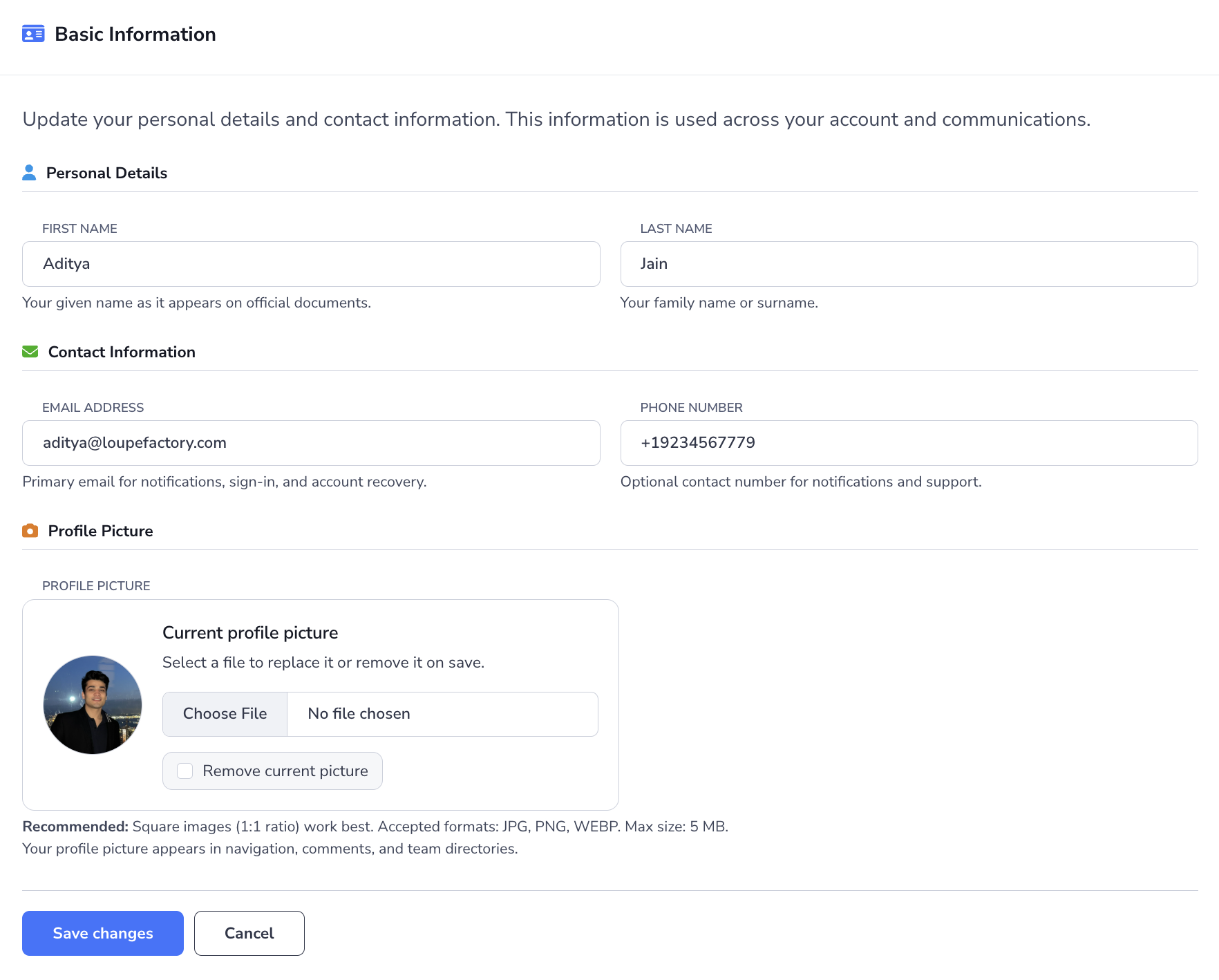
Updating Your Profile Information
Your profile stores your personal contact details and profile picture. Keeping it current helps teammates identify you and ensures account notifications reach the right person.
To update your profile:
- Click your avatar or initials in the top-right corner of the app.
- Select Profile.
- In Basic Information, update the fields you need in Personal Details and Contact Information.
- If needed, upload or replace your Profile Picture.
- Click Save changes.
The profile page lets you update:
- First name
- Last name
- Email address
- Phone number
- Profile Picture
For profile pictures, Loupe Factory accepts JPG, PNG, and WEBP files up to 4 MB. Images marked as locked will not be uploaded to your profile. Square images work best.
Updating or Creating Your Password
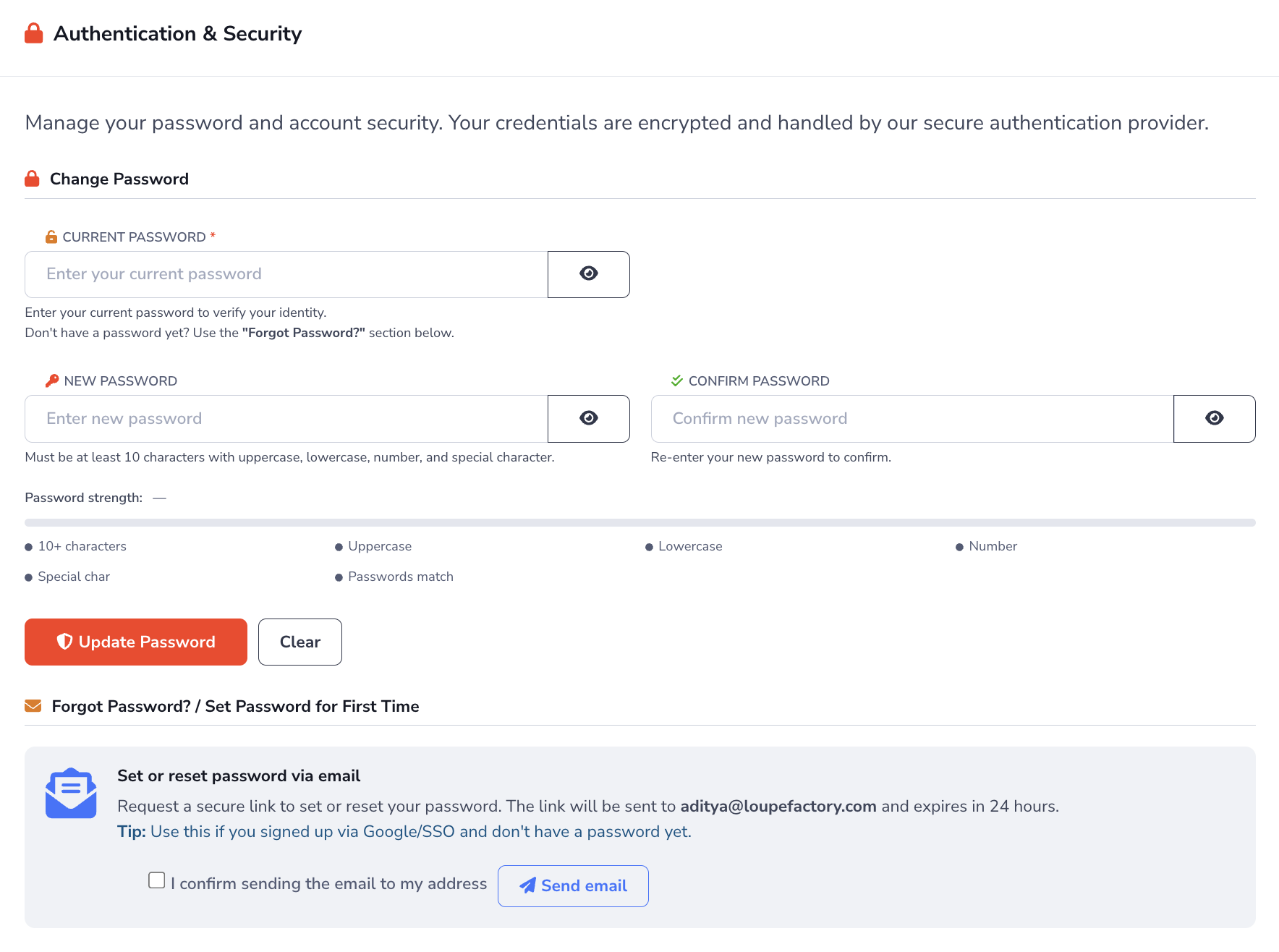
Use the Authentication & Security area in Profile to change your current password or create one for the first time.
Change an Existing Password
If you already sign in with a password, use the Change Password section.
- Open Profile.
- Scroll to Authentication & Security.
- Enter your Current password.
- Enter your New password.
- Re-enter it in Confirm password.
- Click Update Password.
Loupe Factory checks password strength as you type and shows whether the new password meets each requirement before you submit it.
Create a Password for the First Time or Reset It
If you signed up with Google or SSO and do not have a password yet, use the Forgot Password? / Set Password for First Time section.
- Open Profile.
- Scroll to Forgot Password? / Set Password for First Time.
- Confirm that the reset email should be sent to your current account email address.
- Click Send email.
- Open the secure link in the email and create your new password.
The reset link is sent to your current account email address and expires in 24 hours.
Password Requirements
Your password must meet these rules:
- at least 10 characters
- at least 1 uppercase letter
- at least 1 lowercase letter
- at least 1 number
- at least 1 special character
- the confirmation password must match
Loupe Factory also checks passwords against known breaches for additional security.
Next Steps
- Organization Settings: Update branding, locations, defaults, compliance details, and team structure
- Users & Access: Invite users, update access, and remove people when needed
- AI Credits & Billing: Understand how AI credits work and manage your subscription
- Dashboard Overview: Navigate the main platform interface